

What is total super balance?
Generally, your total super balance (TSB) is the sum of all amounts you have in the superannuation system (certain exceptions apply*). At a high level, it includes:
- your accumulation account balances
- your superannuation pension accounts, and
- the outstanding balance of a Limited Recourse Borrowing Arrangement (if you have a self-managed super fund which has borrowed to invest), in certain circumstances.
TSB is used as part of the eligibility criteria for certain types of super contributions.
* Exceptions and modifications may apply, for example if you’ve made a personal injury contribution to super. Calculating TSB can be complex, so it is important to seek advice.
When is it measured?
Your TSB for a financial year is measured on the previous 30 June when determining your eligibility
to make or receive certain types of super contributions.
How does TSB impact contributions?
Eligibility rules apply to the different types of contributions that can be made to super. Some contributions require that your TSB is below certain thresholds (usually generally based on your TSB at the previous 30 June). For this reason, it is important that you carefully check your TSB before making contributions to super. Also, your financial adviser might need to know details of your TSB to ensure that any recommendations to contribute to super are within your contribution caps^.
^ The contribution caps limit the amount that can be contributed to super. The amount you can individually contribute (or have made on your behalf) depends on a number of issues including your TSB. Exceeding your contribution cap may result in additional tax or penalties. Visit ato.gov.au for more information.
How to check your TSB
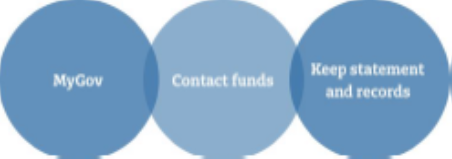
There are a few ways you can track your TSB. A useful source of information is your MyGov account which
is explained below. Other options are contacting your superannuation funds or looking at your fund’s statements and records. When reviewing your annual statement, the TSB figure your fund reports to the ATO is usually referred to as ‘exit value’ or ‘withdrawal benefit’. This may be different to the 30 June ‘closing balance’.
How to track your total super balance
- Login to you MyGov Account by visiting my.gov.au *
- Select the ATO Service.
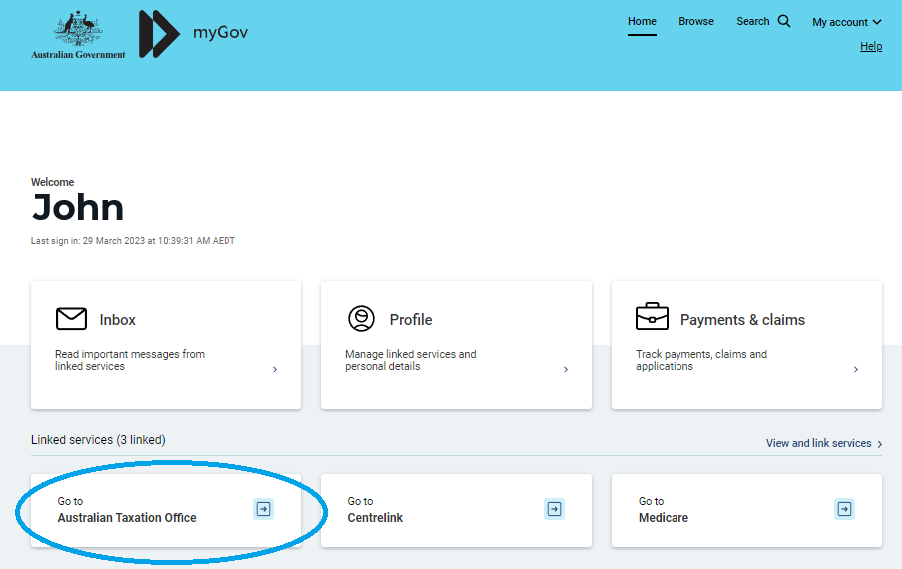
*Don’t have a MyGov account or haven’t linked the ATO? Use the link below and follow the steps: https://www.ato.gov.au/General/Online-services/Create-your-myGov-account-and-link-it-to-the-ATO/
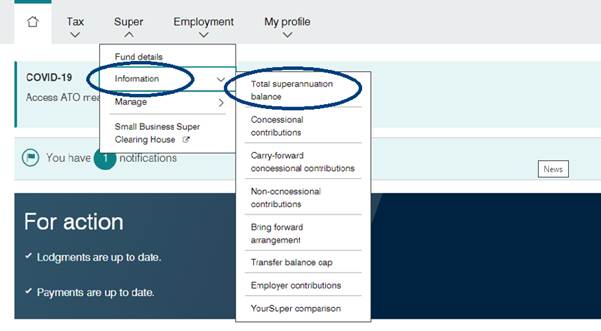
- Select the Super tab.

- Click the Information option and then the Total superannuation balance.
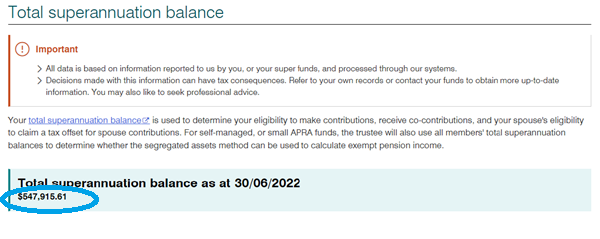
- The most up to date TSB recorded by the ATO for the prior 30 June is displayed.
Note the TSB displayed at a time may not accurately reflect all of your super interest as t 30 June. This is because of the timing of super fund reporting requirements to the ATO, which may not be completed until October (or later for some SMSFs).
- Click on the drop-down arrow to the right of each super interest to reveal detailed account information.
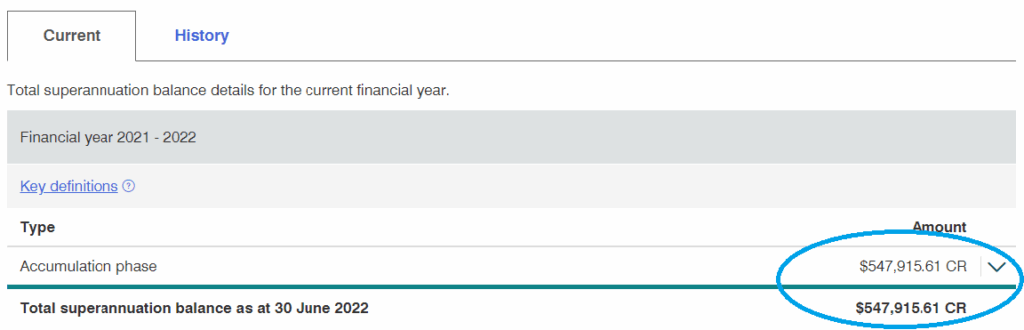
- Click History button to display prior year’s 30 June TSB.
- Click Printer friendly version button to open the data in a format appropriate to print.
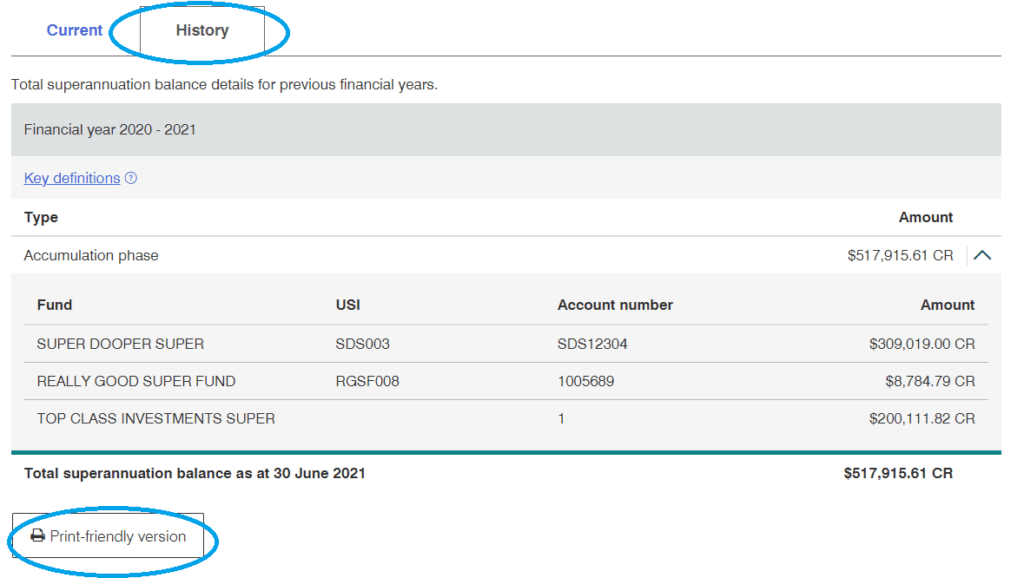
- Check the information provided.
Remember that your TSB reflects your accounts as at the prior 30 June. Before you rely on the information in MyGov, it is important that you:
- Check that all of the super and pension accounts that you held on 30 June are displayed
- Reconcile the amounts displayed with the ‘exit’ or ‘withdrawal’ value displayed on your end of year statements and other records, and
- Contact your super fund and the ATO if the information doesn’t look correct before making super contributions.
For more information speak with your independent financial advisor or visit the ato.gov.au
IMPORTANT INFORMATION: This document has been prepared by Periapt Advisory Pty Ltd, ABN 67 648 208 253 AFSL 542418, based on our understanding of the relevant legislation at the time of writing. The information is of a general nature only and has been prepared without consideration of any particular individual’s objectives, financial situation, or needs. Before making any decisions, we recommend you consider independent financial advice. Current at 29 September 2025.